
- Create device profile
- Main device profile configuration
- Transport configuration
- Device profile details
- Next steps
- Your feedback
| Available since TB Version 3.2 |
Device profiles in ThingsBoard allows an administrator to define and centrally manage common settings for multiple devices at once.
This greatly simplifies the management of a large number of similar devices, making it especially valuable in IoT solutions where numerous devices share identical configurations and behaviors.
Typical device profile settings include:
- Setting a default rule chain.
- Configuring message queue for efficient message handling.
- Defining firmware and software versions to be distributed automatically to devices.
- Configuring transport protocols used for device communication.
- Defining and managing alarm rules.
- Setting the provision strategy.
Create device profile
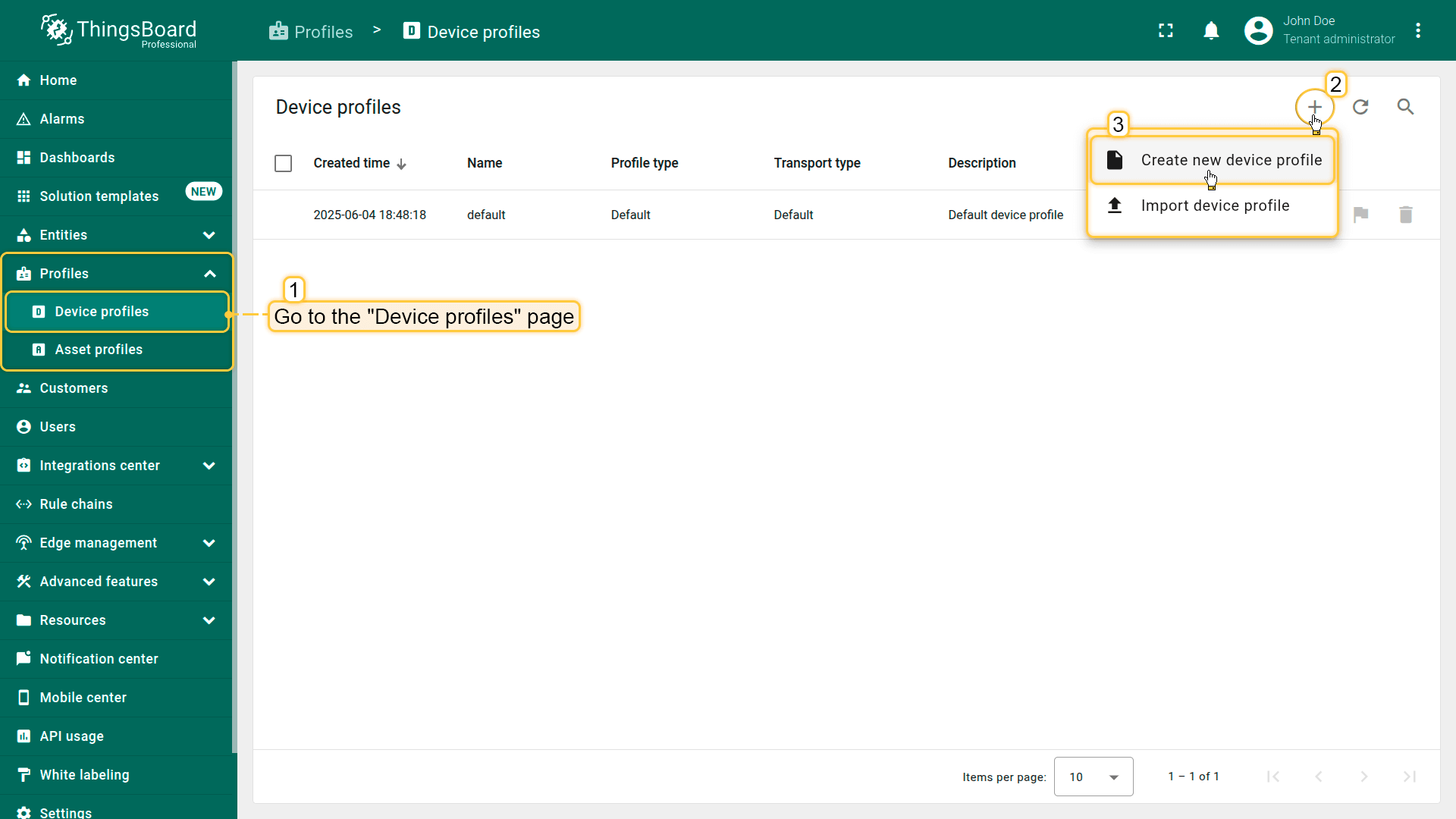
To create a new device profile:
- Go to the “Device profiles” page in the “Profiles” section.
- Click the “+” icon in the upper-right corner and select “Create new device profile” from the dropdown menu.
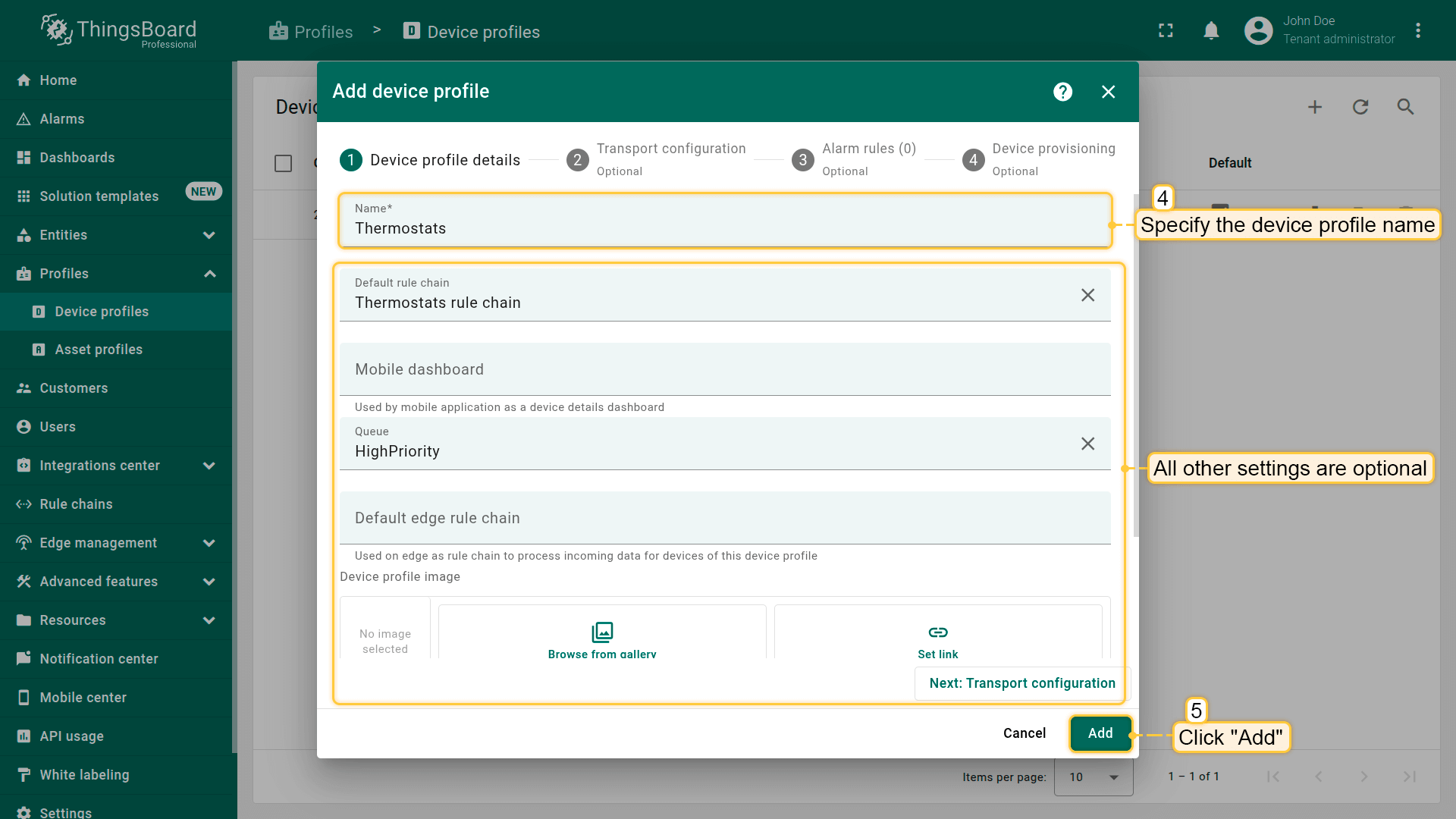
- Only the Name field is required; all other settings are optional.
- Click “Add” to create the device profile.
Main device profile configuration
Default rule chain
The Default Rule Chain processes all incoming messages and events from any device. As the number of device types grows, the default rule chain can become complex and difficult to manage. Often, users create their own root rule chains to route messages to specialized rule chains based on device type.
To simplify this process, you can assign separate rule chains to individual device profiles. This allows you to centrally and flexibly manage telemetry processing, device state (active/inactive), and device lifecycle events (creation, update, deletion).

Queue
By default, the main queue will be used to store all incoming messages and events from any device. The transport layer will submit messages to this queue and Rule Engine will poll the queue for new messages. However, for multiple use cases, you might want to use different queues for different devices. For example, you might want to isolate data processing for Fire Alarm/Smoke Detector sensors and other devices. This way, even if your system has a peak load produced by millions of water meters, whenever the Fire Alarm is reported, it will be processed without delay. Separation of the queues also allows you to customize different submit and processing strategies.
Please note: if you choose to use a custom queue, you should configure it with the system administrator before you using it.

Transport configuration
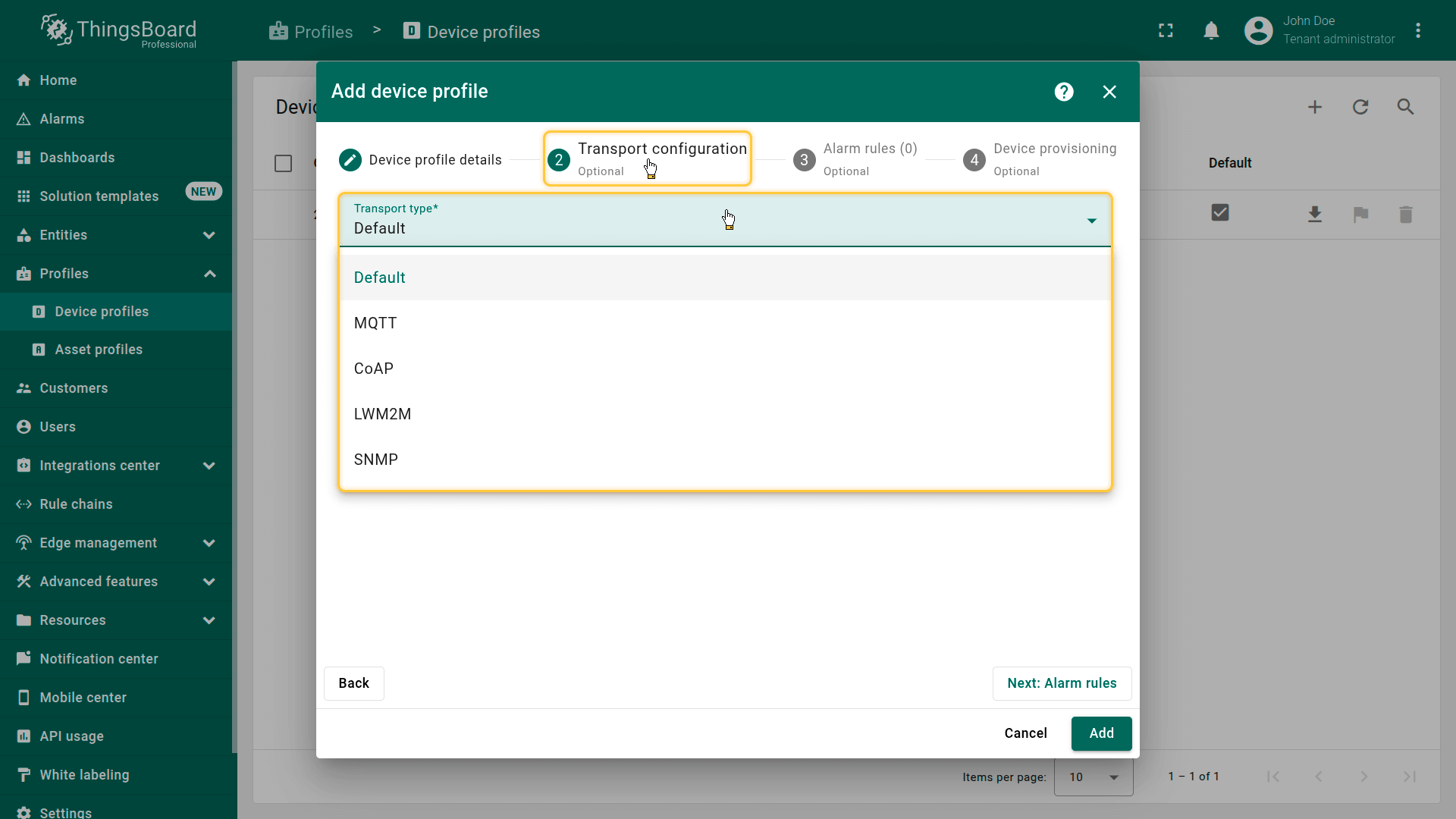
The current version of ThingsBoard platform supports the following transport types:
- Default - standard HTTP transport suitable for basic device interactions with ThingsBoard. Easy to configure, but less efficient for a large number of devices or frequent updates.
- MQTT - lightweight, bidirectional protocol specifically optimized for IoT devices, providing efficient telemetry delivery, high throughput, and resource efficiency.
- CoAP - lightweight IoT protocol ideal for resource-constrained devices operating in low-bandwidth networks.
- LWM2M - standardized IoT protocol designed for efficient management of resource-constrained devices, enabling centralized configuration management, firmware updates, and device monitoring.
- SNMP - widely used protocol for managing network devices like routers, switches, servers, enabling collection and analysis of device health information.
Default transport type
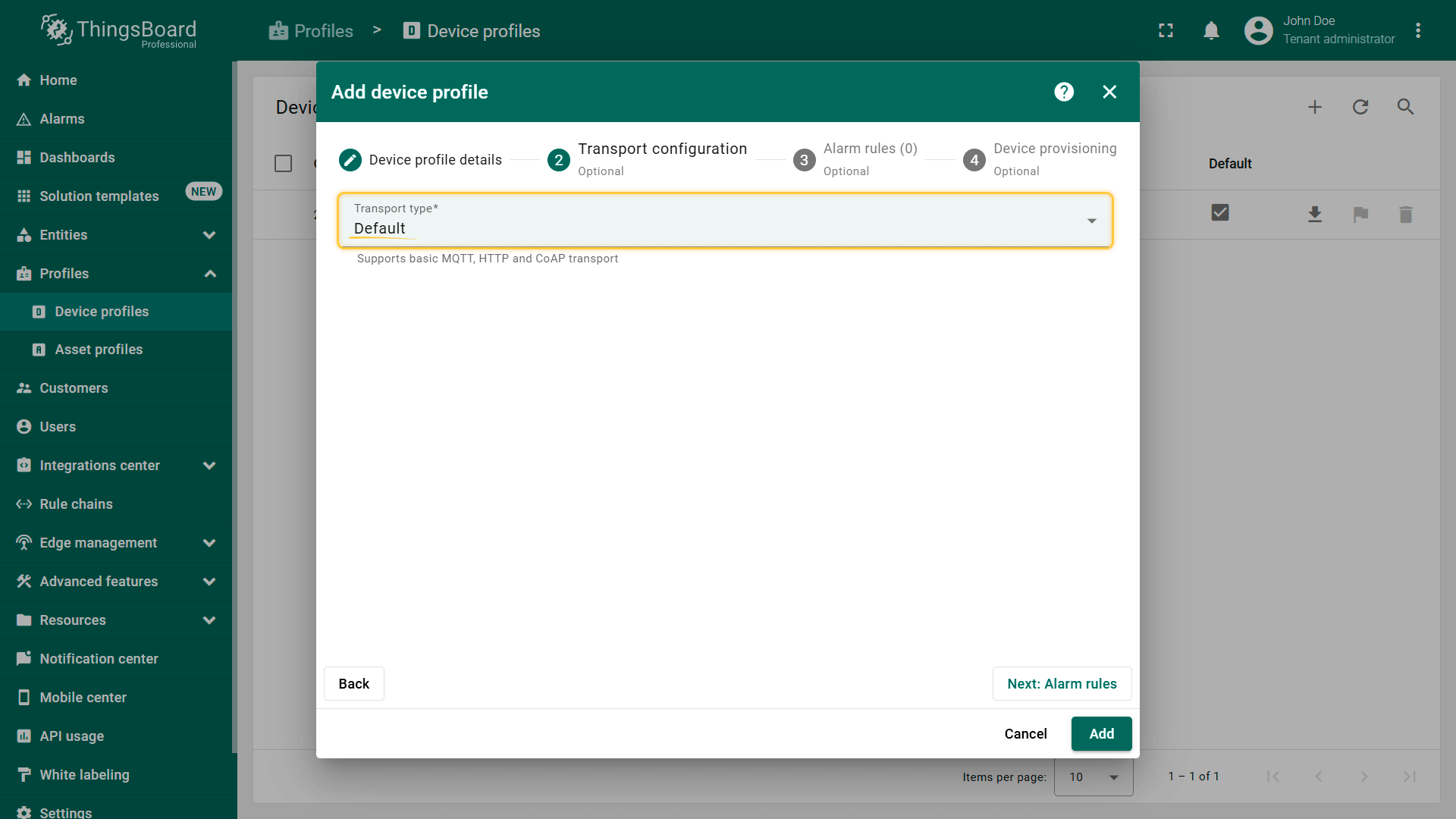
The Default transport type is designed to ensure compatibility with earlier versions of the platform. Devices using this type can connect through ThingsBoard's standard APIs: MQTT, HTTP, and CoAP. It requires no special configuration.
MQTT transport type
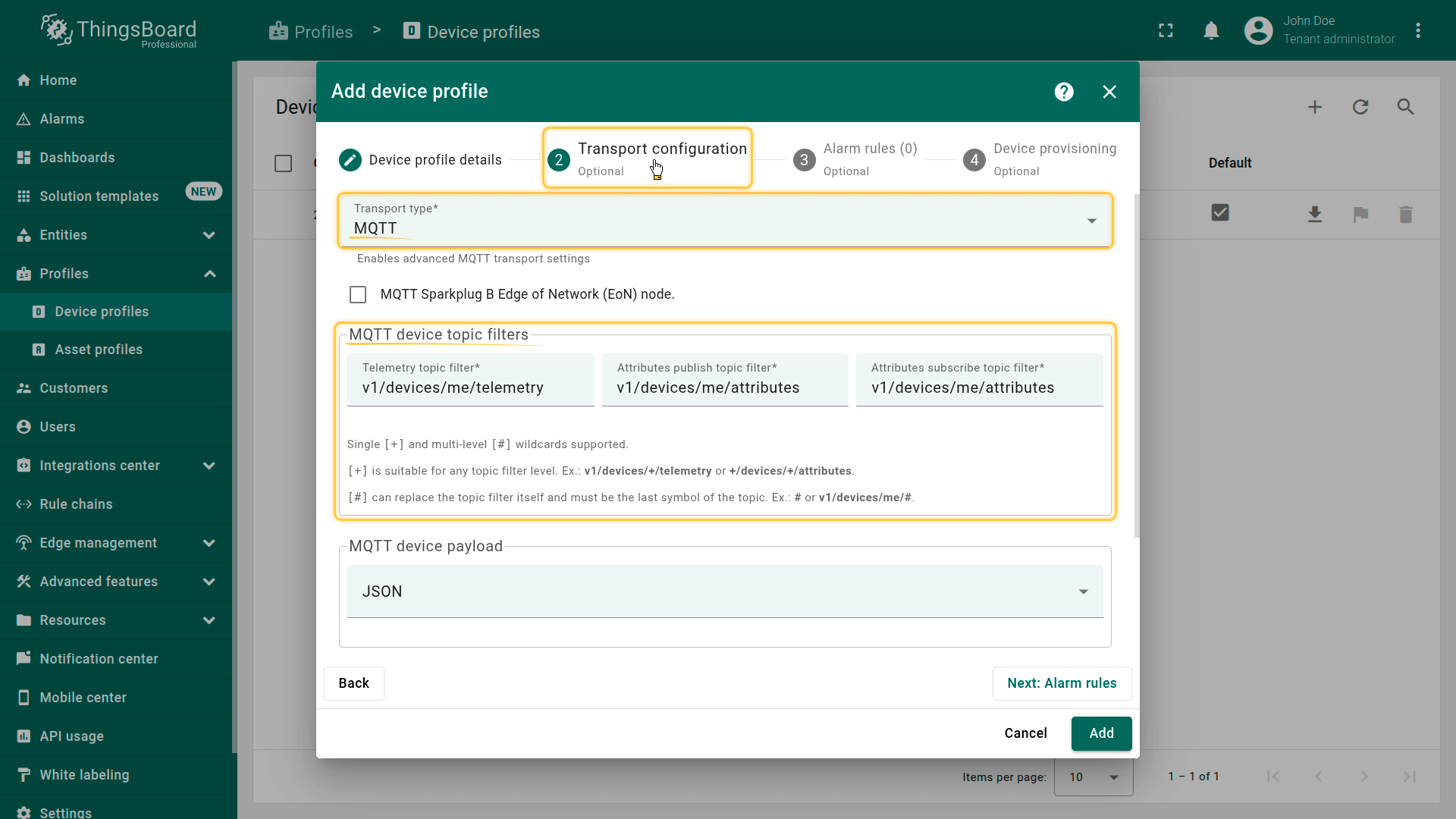
The MQTT transport type allows for flexible communication setup with devices using the MQTT protocol. You can define custom MQTT topic filters for sending telemetry and updating attributes by using ThingsBoard's telemetry upload API and attribute update API.
The MQTT transport type has the following settings:
MQTT device topic filters
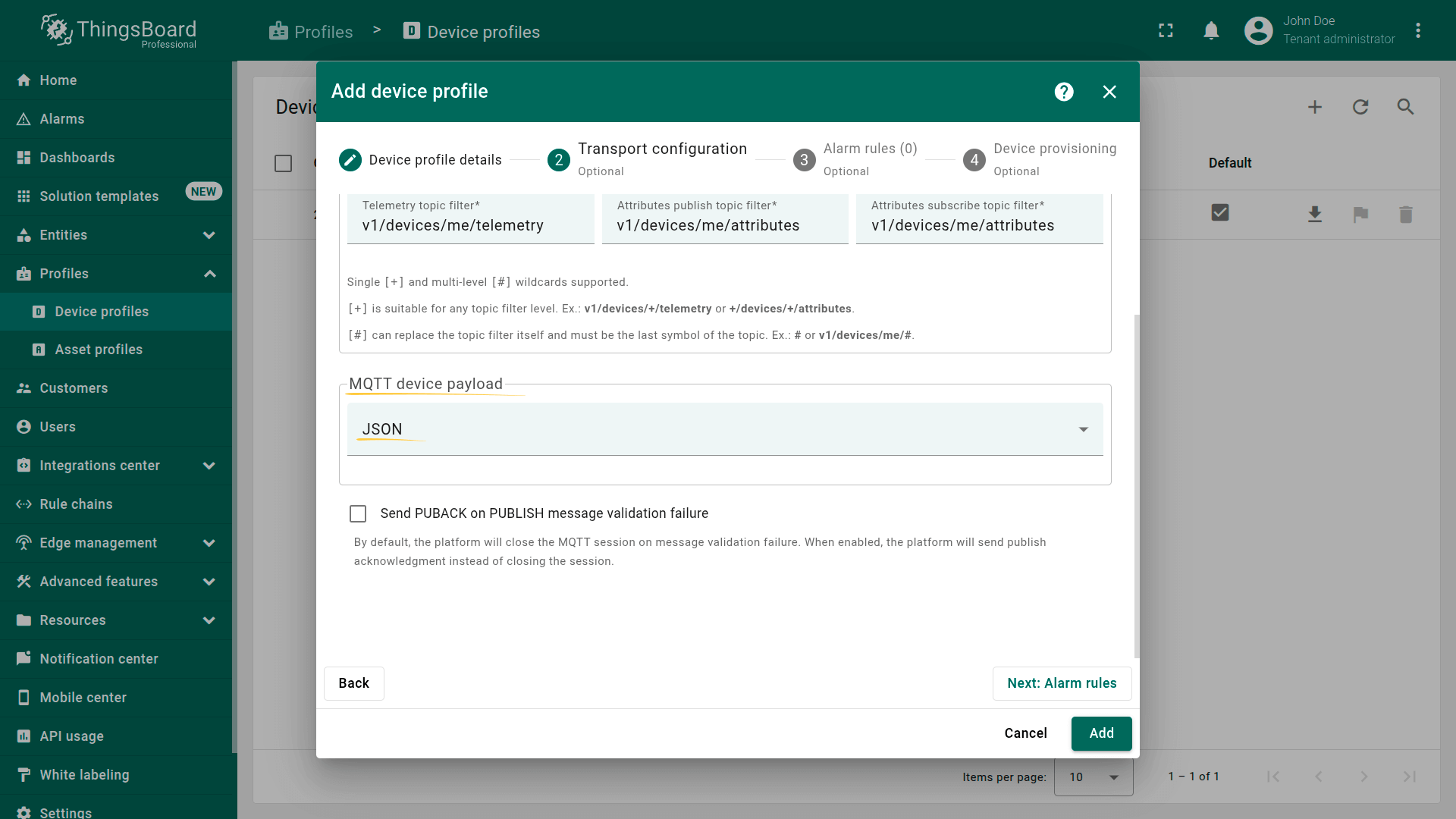
Custom MQTT topic filters support single-level (+) and multi-level (#) wildcards, making it possible to connect to almost any MQTT-based device that sends payloads in JSON or Protobuf format.
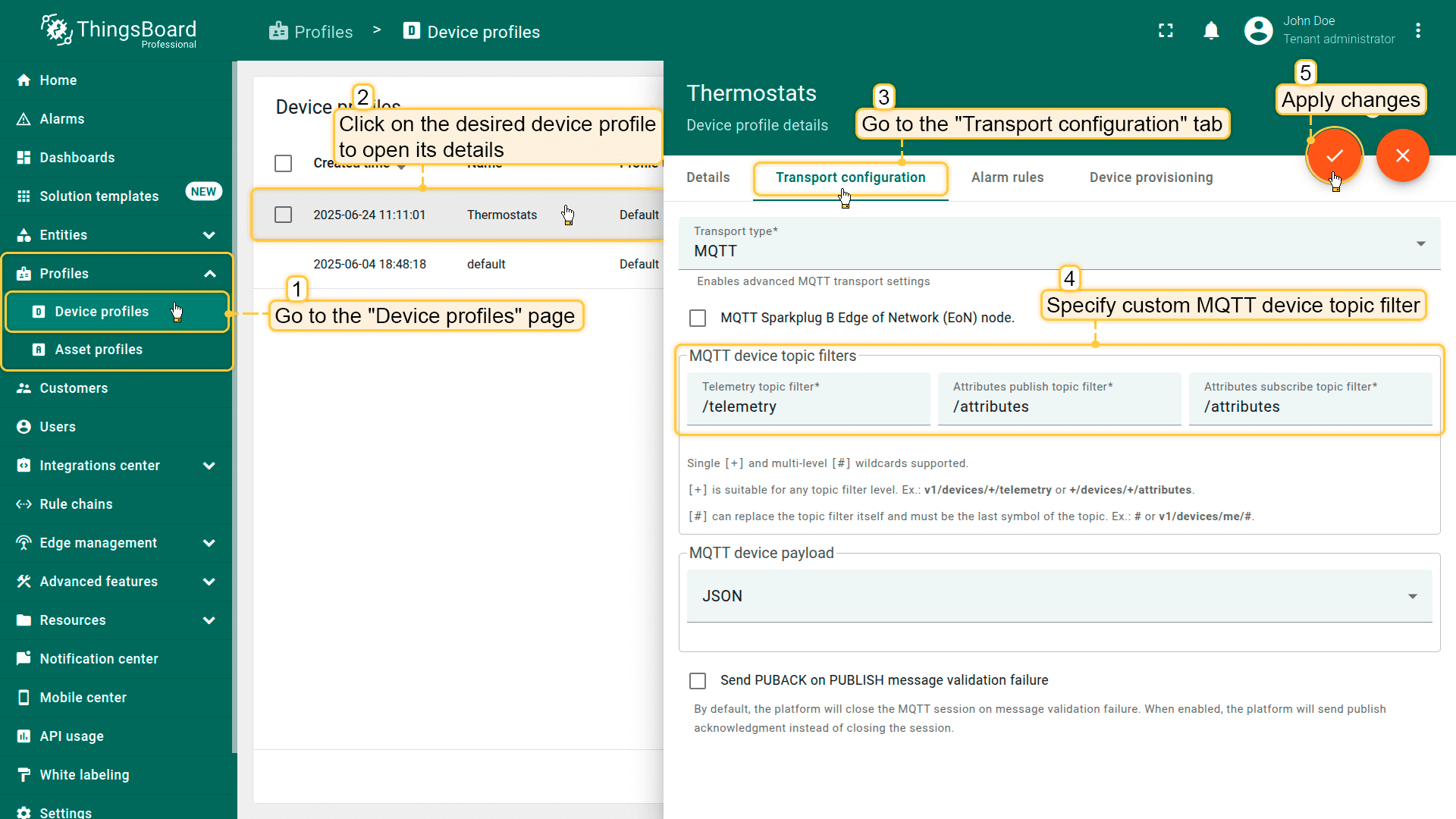
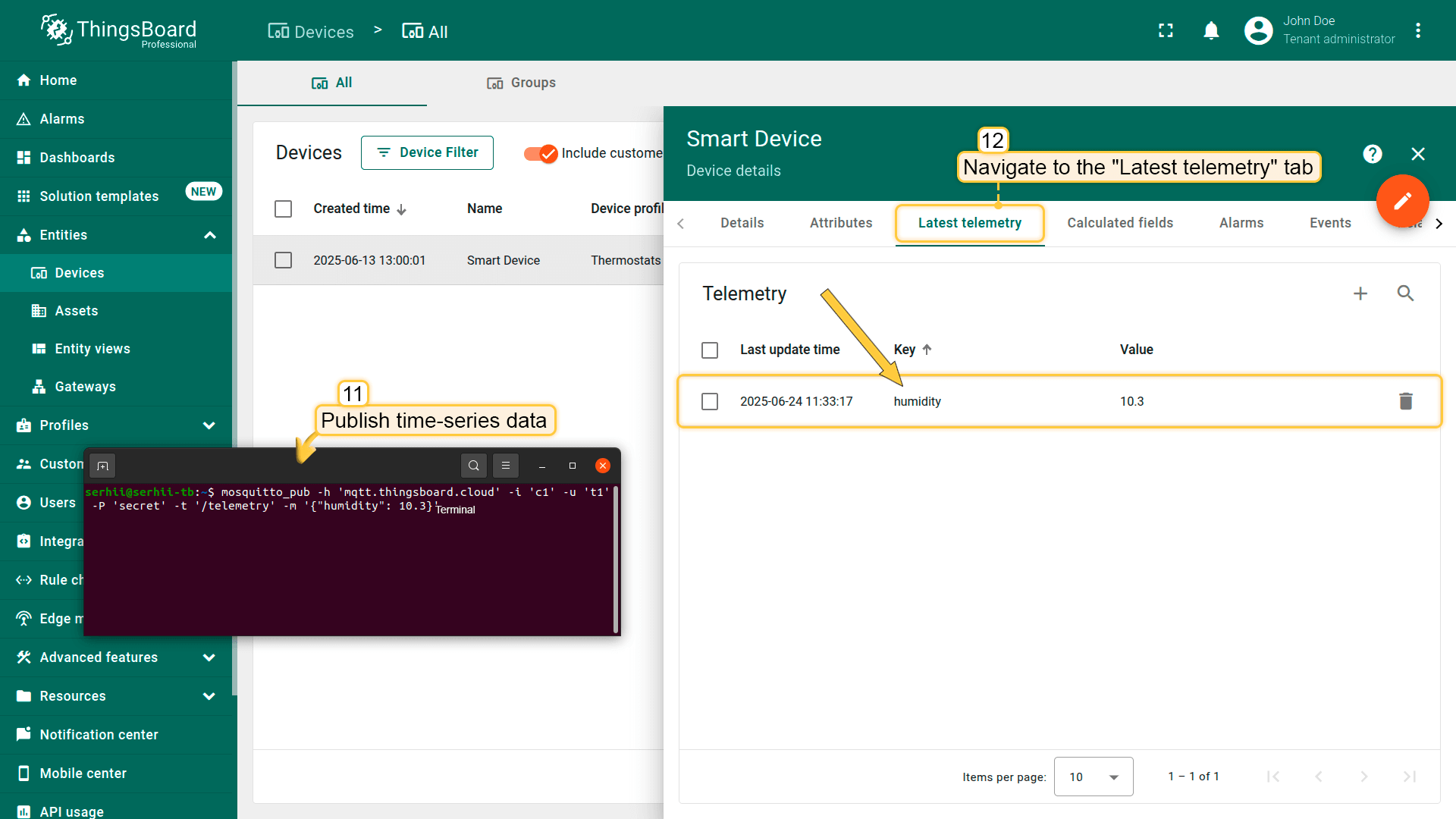
Let's look at an example where we use custom MQTT topic filters to publish time-series data using “MQTT Basic” device credentials:
- Specify custom MQTT topic filters in the device profile. For example:
- Telemetry topic filter:
/telemetry - Attributes topic filter:
/attributes
- Telemetry topic filter:
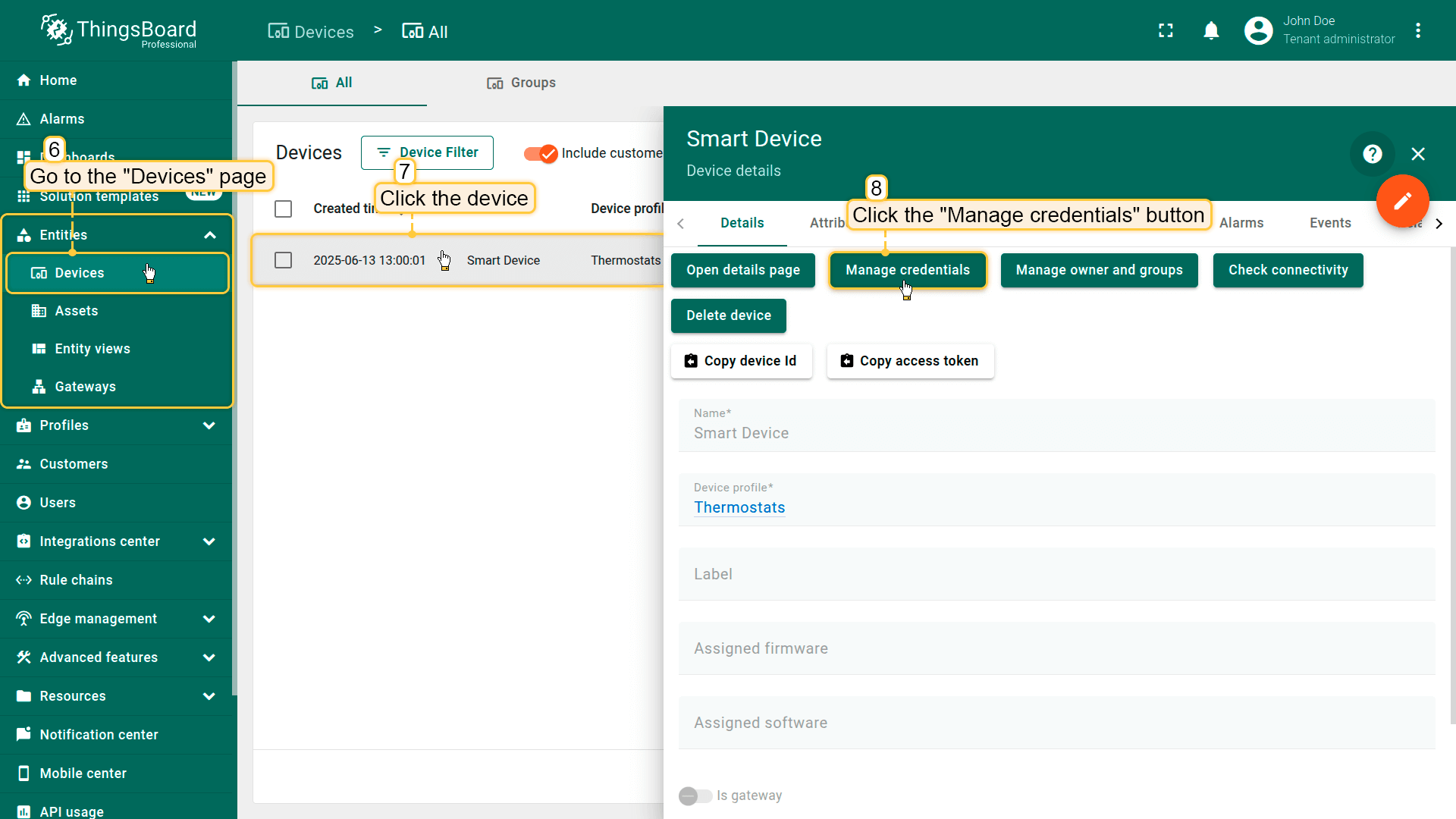
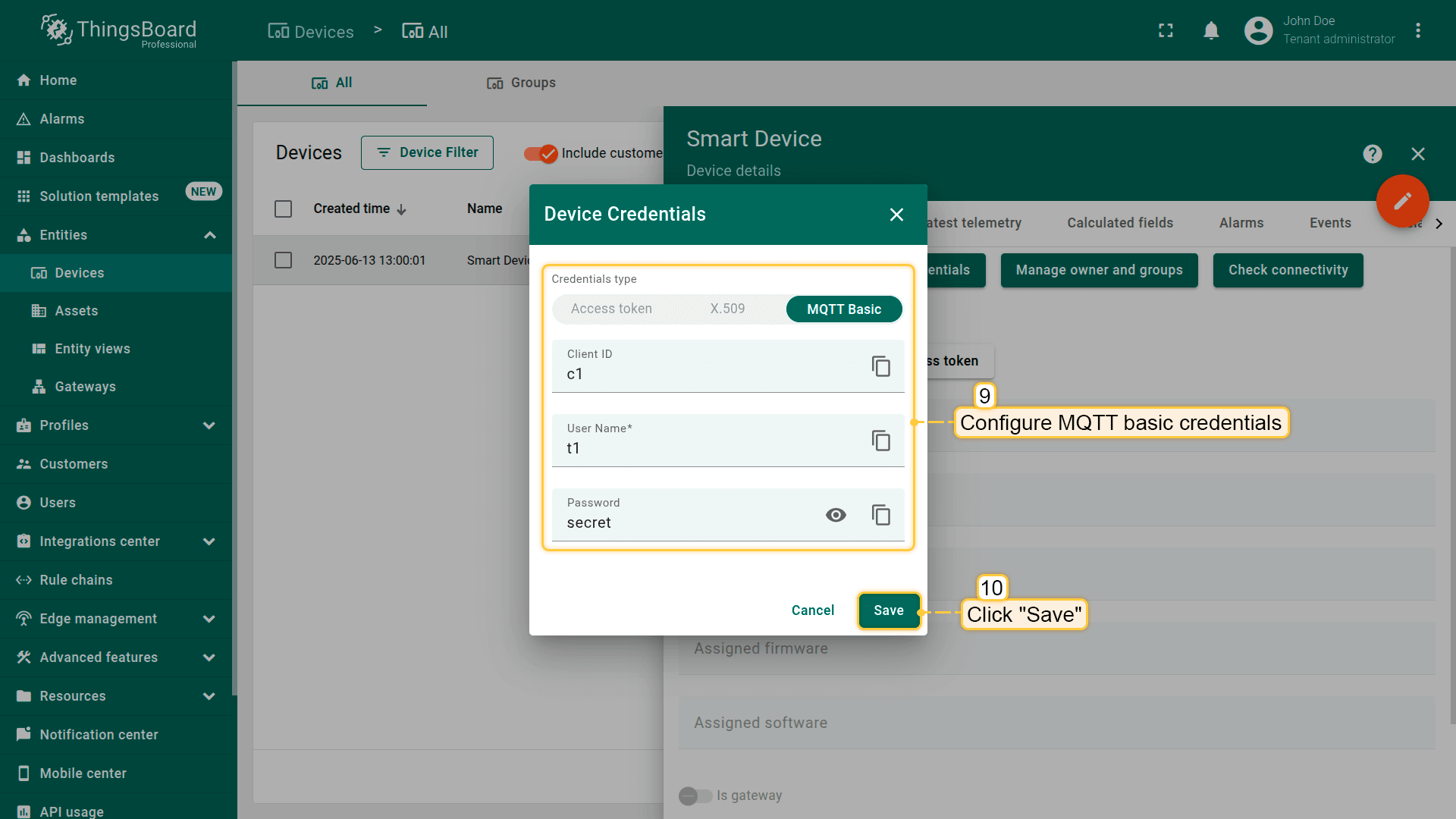
- Configure MQTT basic credentials for your device:
- Client ID:
c1 - Username:
t1 - Password:
secret
- Client ID:
Publish time-series data using the following command:
1
mosquitto_pub -h mqtt.eu.thingsboard.cloud -t /telemetry -i "c1" -u "t1" -P "secret" -m "{humidity:10.3}"
Transmitted data will be displayed in the “Latest telemetry” tab of the device.
If you use the standard MQTT device topic filters configuration, you can publish time series and attributes using the commands below.
Command for publish timeseries data:
1
mosquitto_pub -h mqtt.eu.thingsboard.cloud -t v1/devices/me/telemetry -i "c1" -u "t1" -P "secret" -m "{humidity:10.3}"
Command for update attributes:
1
mosquitto_pub -h mqtt.eu.thingsboard.cloud -t v1/devices/me/attributes -i "c1" -u "t1" -P "secret" -m "{"firmwareVersion": "1.3"}"
MQTT device payload
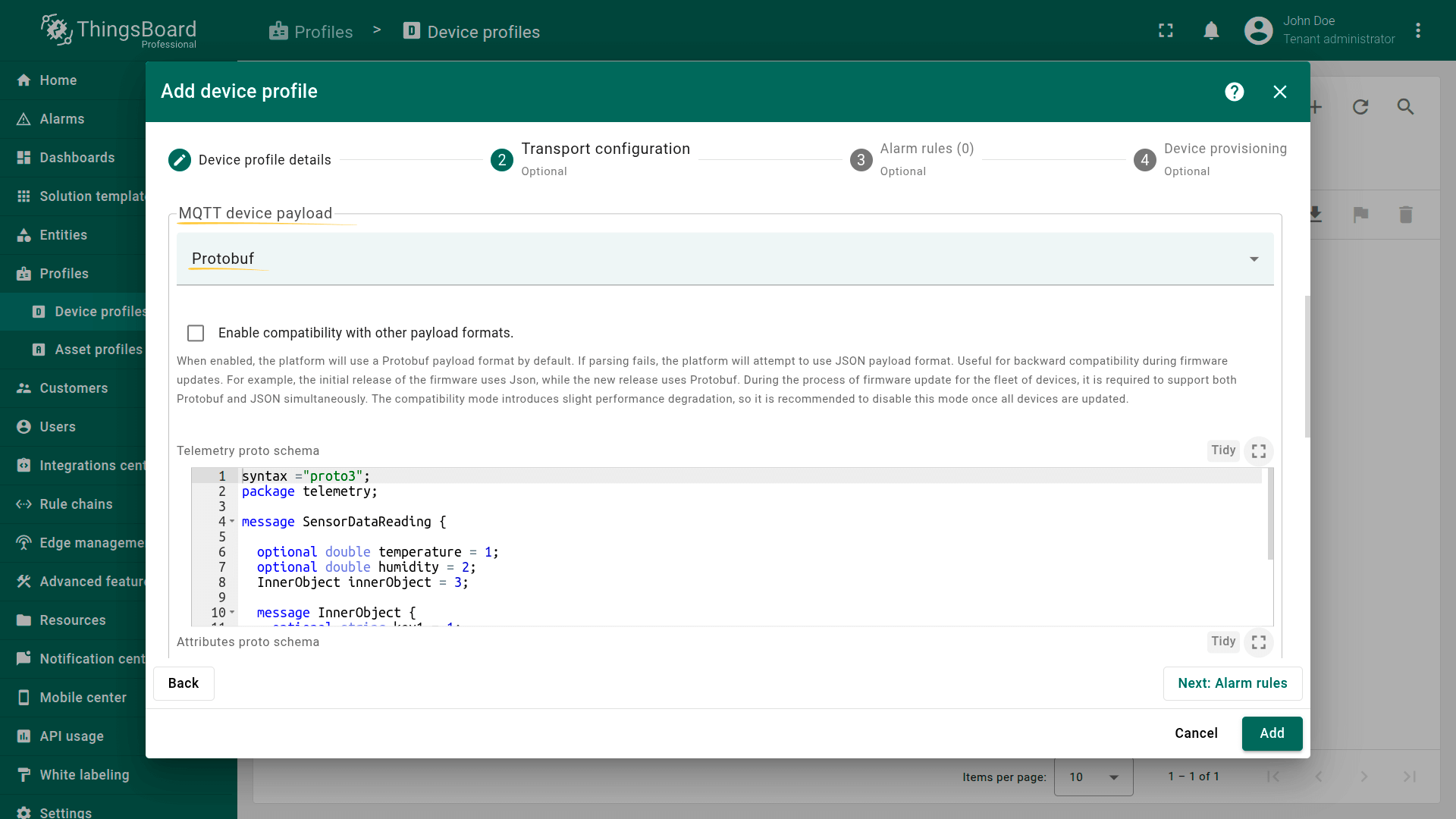
- JSON. By default, ThingsBoard expects devices to send data in JSON format. However, it is also possible to transmit data using Protocol Buffers (Protobuf).
- Protocol Buffers (Protobuf) is a language- and a platform-neutral way of serializing structured data. It is convenient to minimize the size of transmitted data.
The current version of the ThingsBoard platform supports customizable proto schemas for telemetry upload and attribute upload and implemented the ability to define a schema for downlink messages (RPC calls).ThingsBoard parses the protobuf structures dynamically, that is why, it does not support some protobuf features like OneOf, extensions and maps, yet.
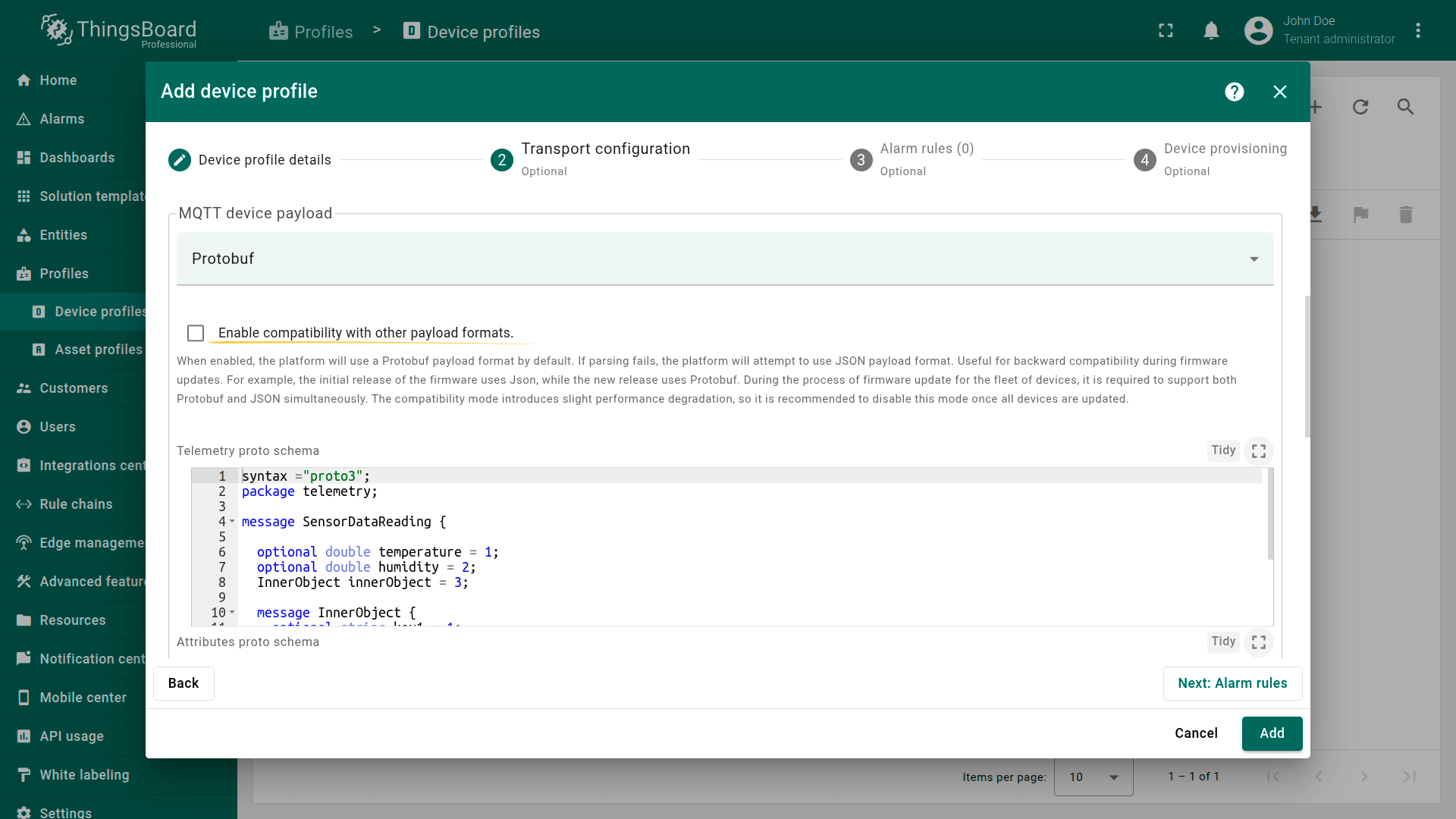
- Compatibility with other payload formats option.
When compatibility mode is enabled, ThingsBoard will default to using a Protobuf payload format. If parsing the Protobuf payload fails, ThingsBoard will automatically attempt to use the JSON payload format. This feature is particularly useful for ensuring backward compatibility during firmware updates. For example, an initial firmware release might use JSON, while a new release switches to Protobuf. During firmware updates across multiple devices, supporting both formats simultaneously is essential.It is important to note that enabling compatibility mode can introduce slight performance degradation. Therefore, it is recommended to disable compatibility mode once all devices have been successfully updated.
CoAP transport type
CoAP (Constrained Application Protocol) is a lightweight IoT protocol specifically designed for resource-constrained devices operating in low-bandwidth networks.
CoAP device type:
-
Default. The default CoAP device type uses a JSON payload. This supports basic CoAP APIs similar to the default transport type.
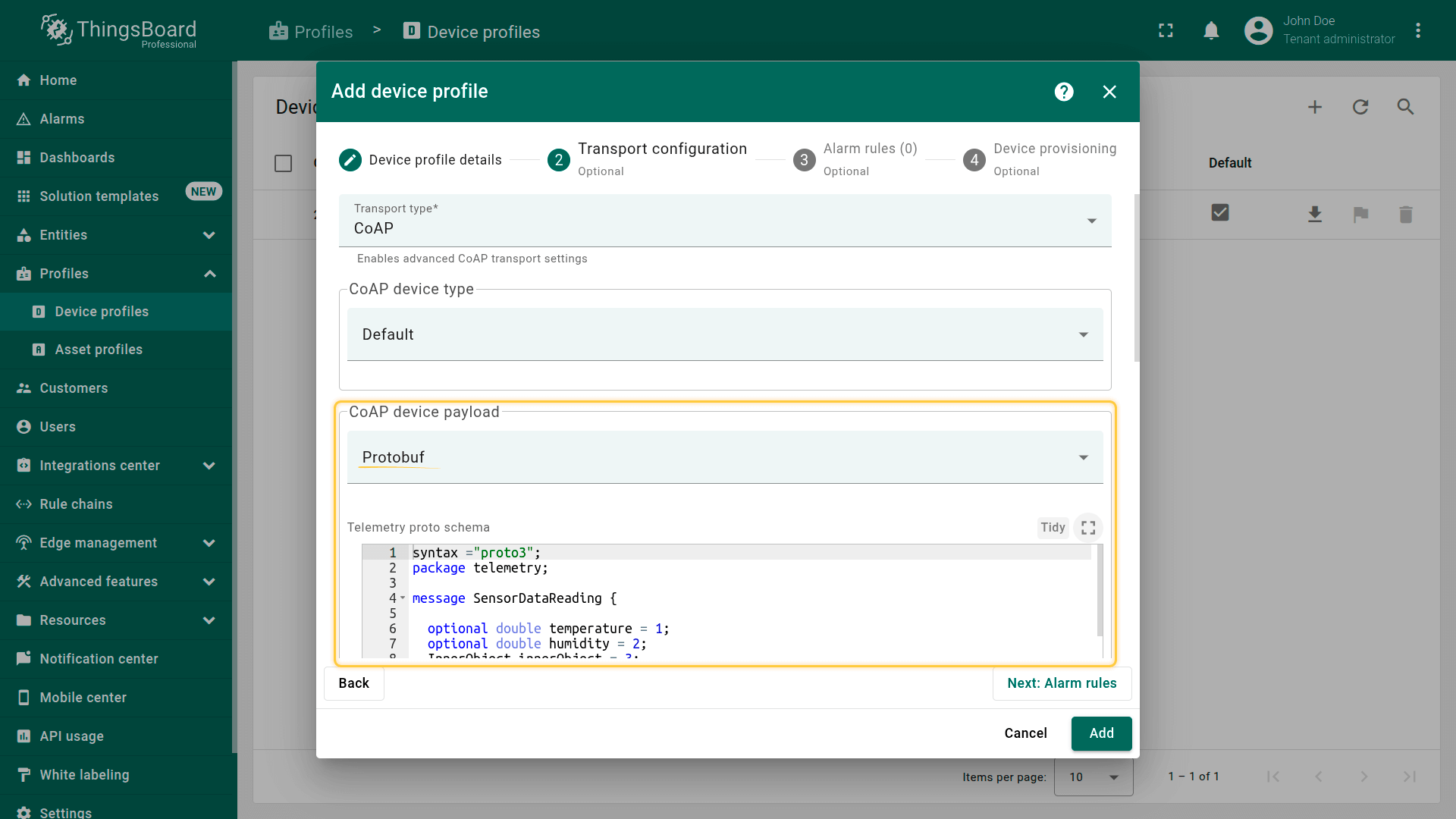
You can also configure devices to transmit data using Protocol Buffers (Protobuf) by changing the CoAP device payload setting to Protobuf.- Protocol Buffers (Protobuf) is a language- and platform-neutral method of serializing structured data, designed primarily to reduce the size of transmitted data.
The current version of the ThingsBoard platform supports customizable proto schemas for telemetry upload and attribute upload and implemented the ability to define a schema for downlink messages (RPC calls). ThingsBoard parses the protobuf structures dynamically, that is why, it does not support some protobuf features like OneOf, extensions and maps, yet.
- Protocol Buffers (Protobuf) is a language- and platform-neutral method of serializing structured data, designed primarily to reduce the size of transmitted data.
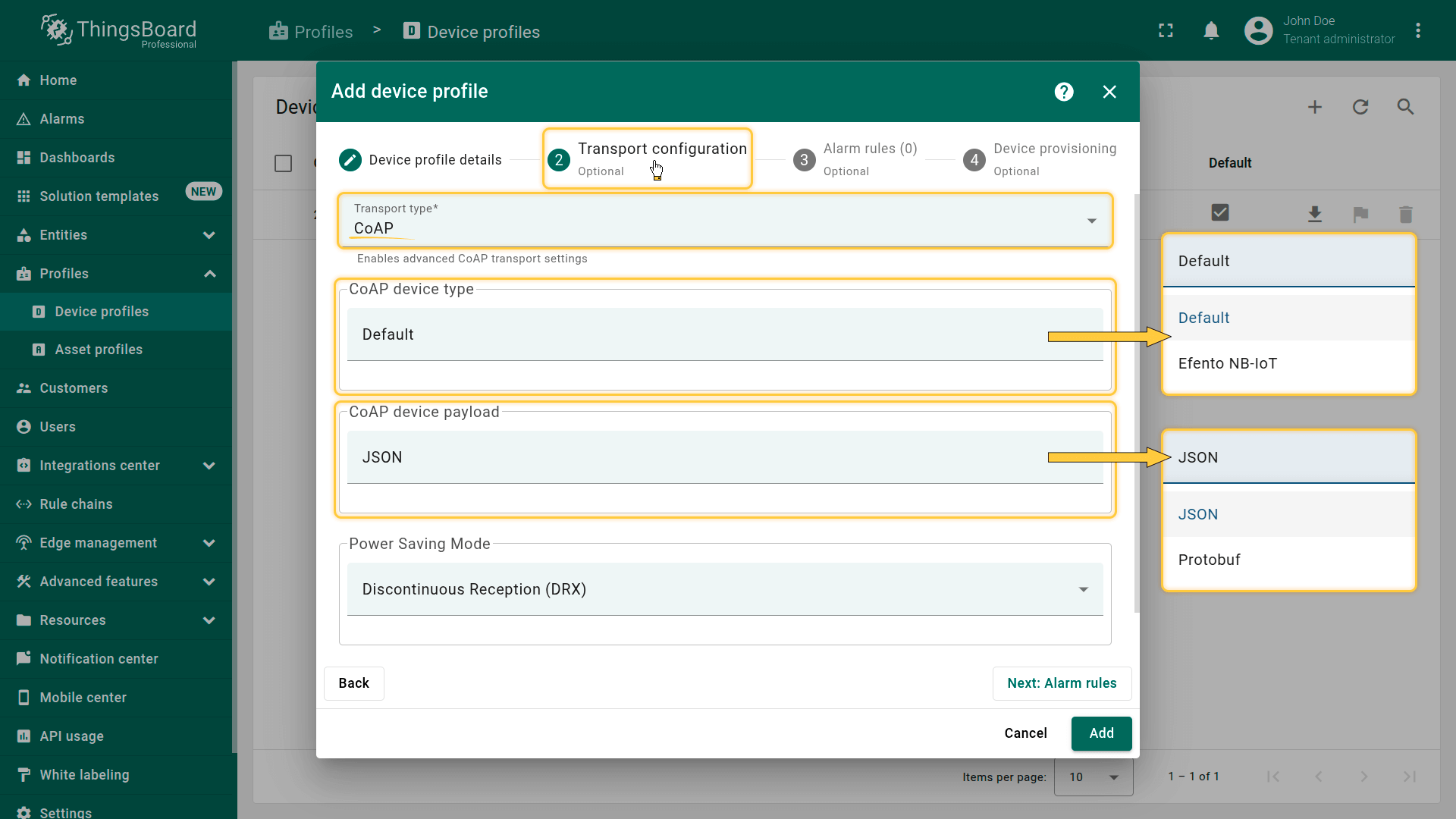
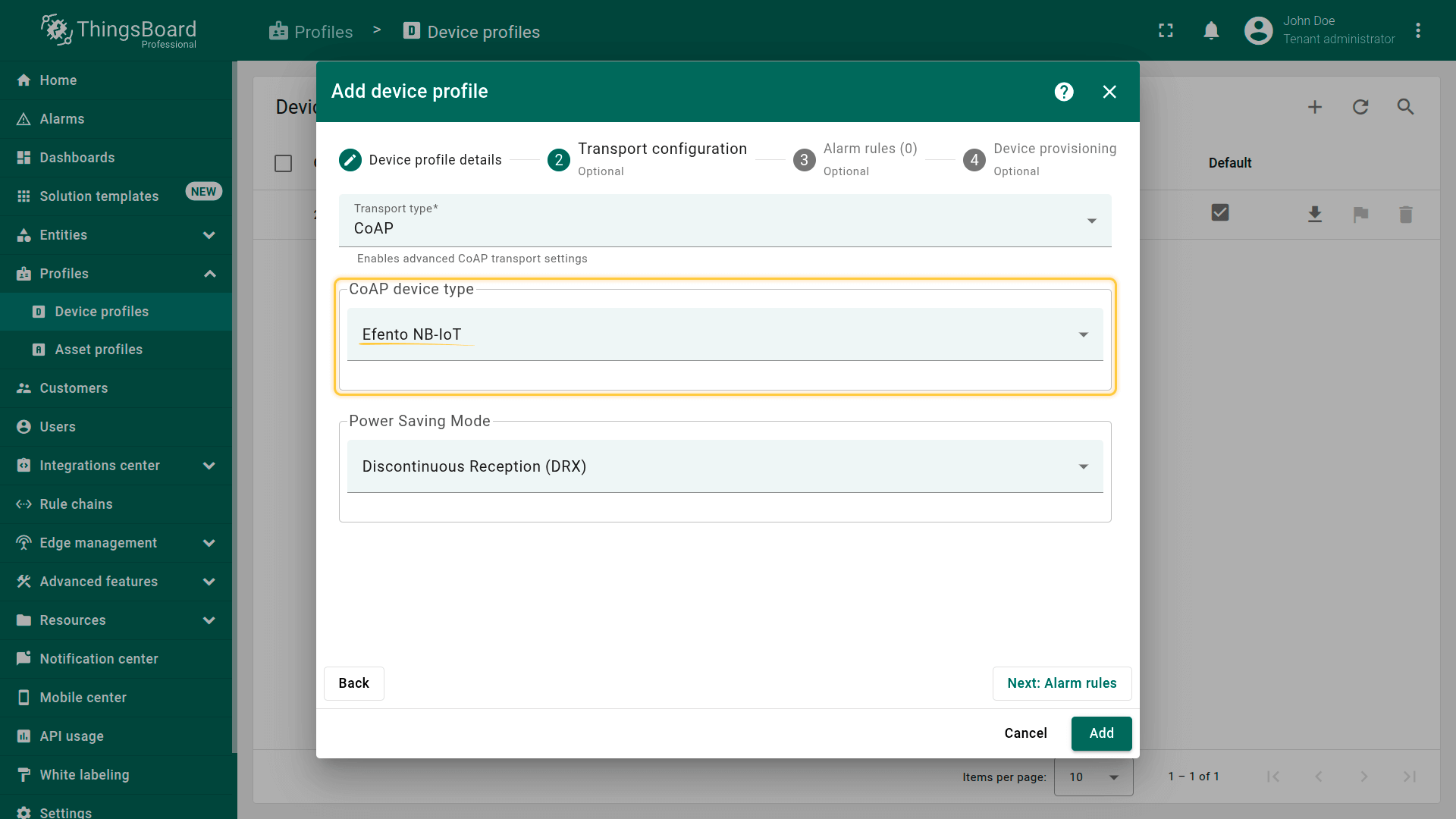
- Efento NB-IoT devices are wireless sensors that use NB-IoT technology for energy-efficient transmission of telemetry data (e.g., temperature, humidity, pressure, open/close, leakage, and more).
You can integrate them with ThingsBoard using the built-in CoAP transport, which receives messages from the devices, decodes them using Protobuf, and stores telemetry data on the platform.
This data becomes instantly available for viewing, charting, dashboarding, alarm setup, and automation.
Requires Efento devices with FW version: 06.02+.
Power Saving Mode
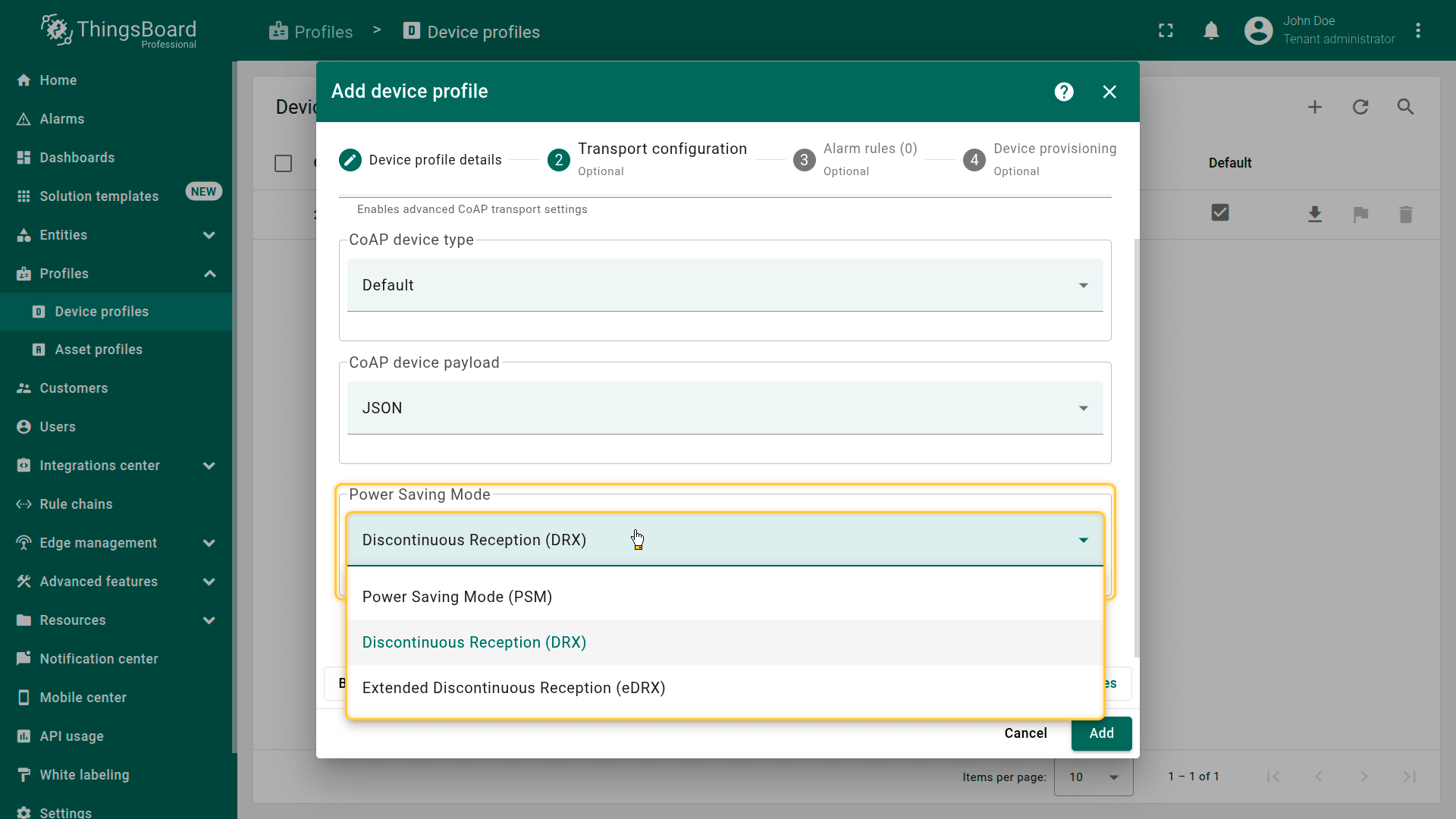
The platform supports the following power-saving mechanisms for optimized device operation:
- Power Saving Mode (PSM)
- Discontinuous Reception (DRX)
- Extended Discontinuous Reception (eDRX)
LWM2M transport type
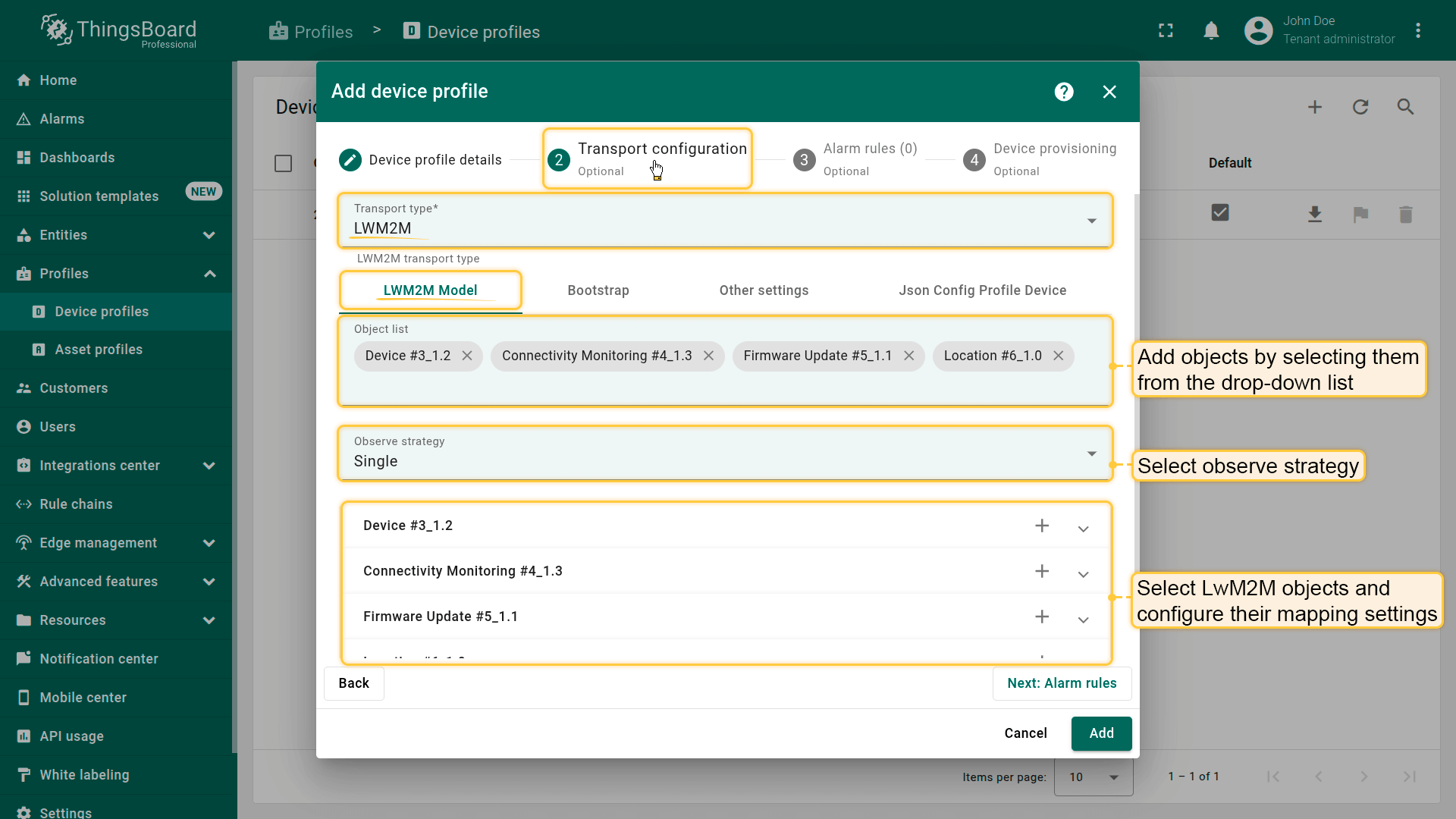
LwM2M is a standardized IoT protocol designed for efficient management of resource-constrained devices. It enables centralized configuration, remote firmware updates, and real-time device monitoring.
To configure an LwM2M device profile, specify the following parameters:
- Define the objects you want to observe or interact with
- Set the observe strategy to determine how the platform monitors object changes
- Configure how ThingsBoard processes LwM2M object data, including telemetry, attributes, and key parameters
Learn more about configuring the LwM2M transport at this link.
SNMP transport type
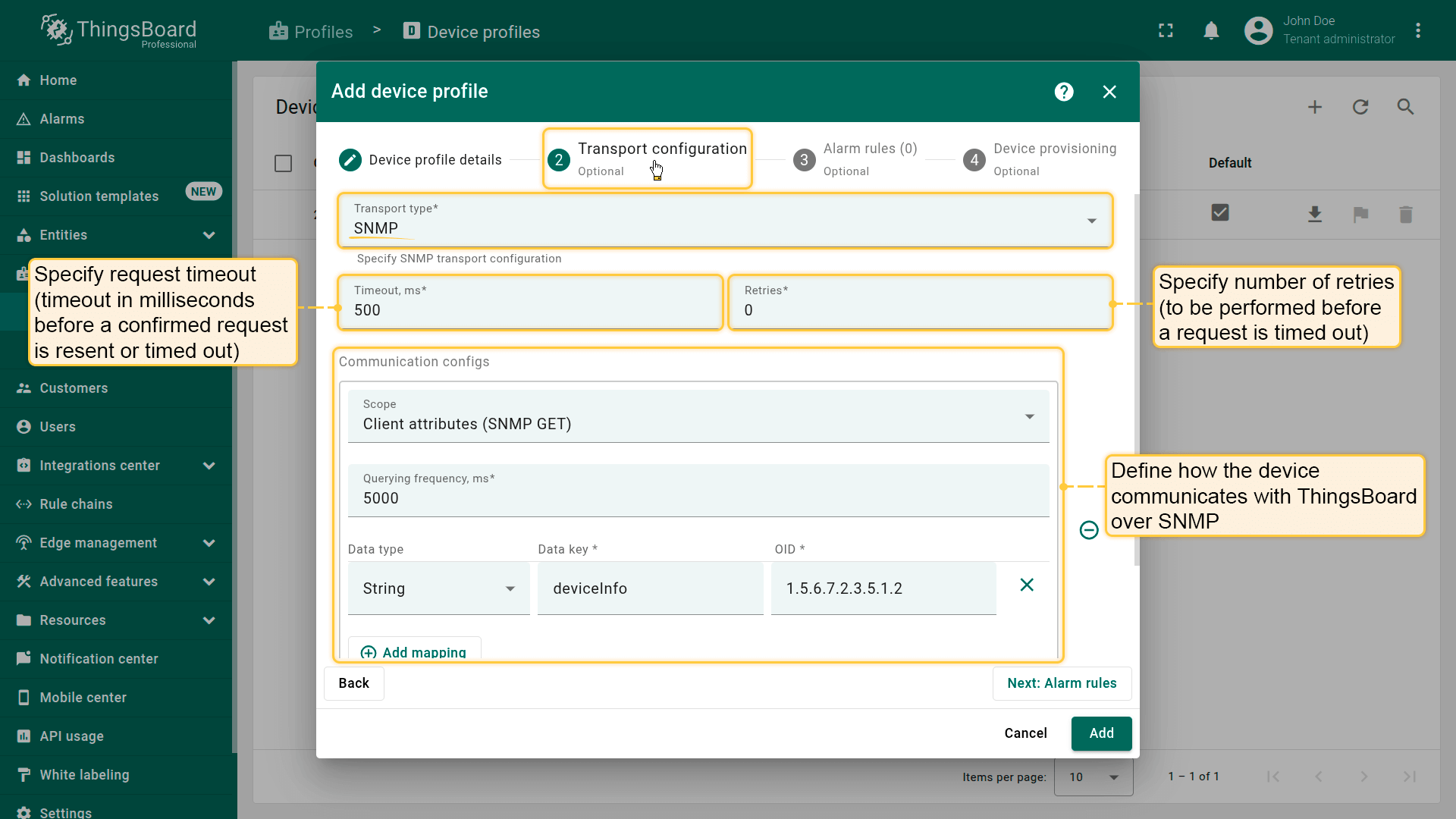
SNMP is a widely used protocol for managing network devices such as routers, switches, and servers. It enables the collection and analysis of device status and performance data.
To configure an SNMP device profile, specify the following parameters:
- Request timeout — how long (in milliseconds) the system waits before retrying or marking the request as failed
- Retry count — how many times the system will attempt the request before giving up
- Communication configuration — define how the device communicates with ThingsBoard over SNMP
Learn more about configuring the SNMP transport at this link.
Device profile details
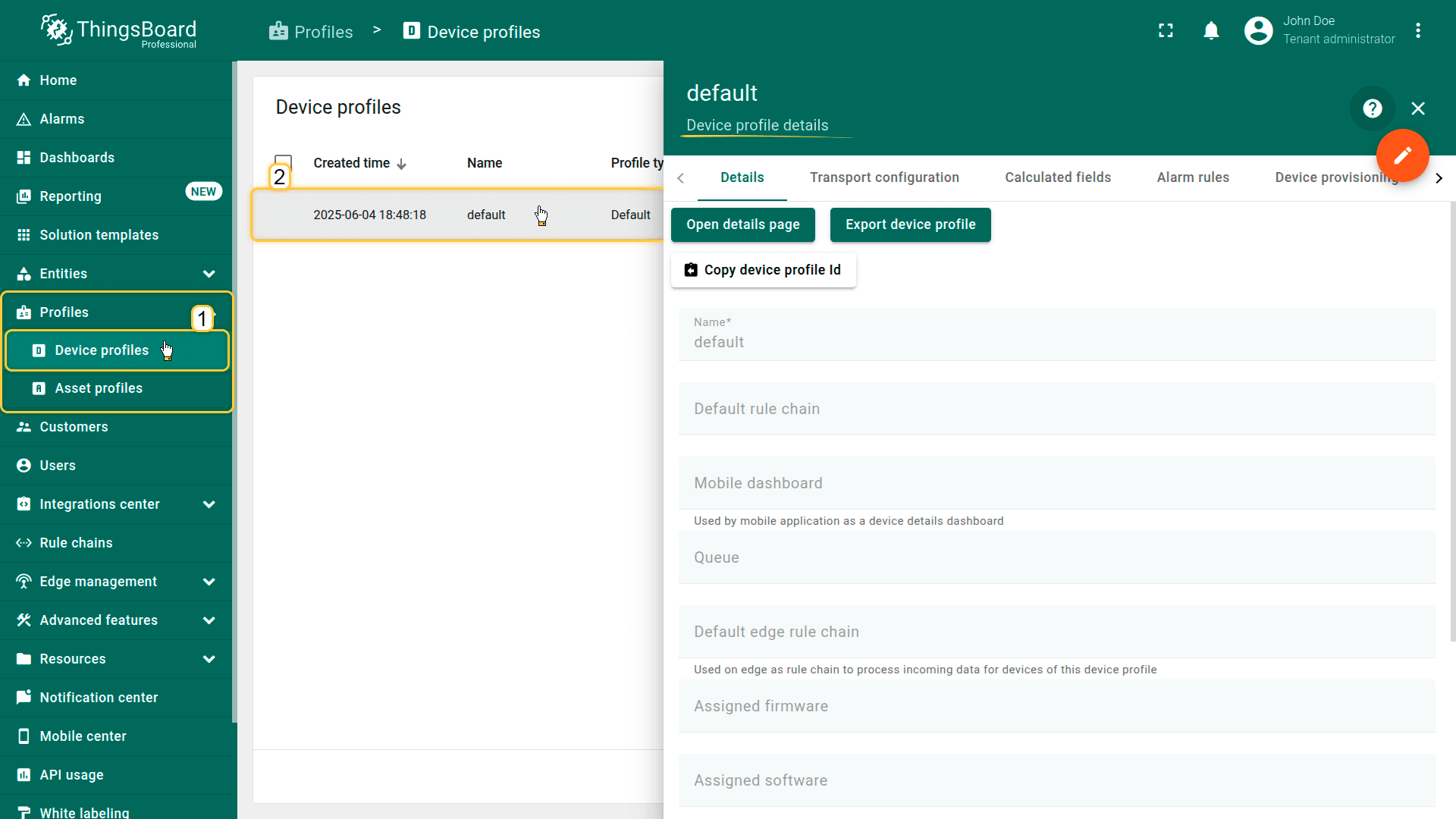
Clicking a device profile opens a details window where you can access and manage all aspects of that profile.
Details
This tab contains the core configuration of the device profile — general settings that define how devices of this type behave. Here you can configure the profile name, default dashboard, default rule chain, firmware/OS information, and other high-level parameters. These settings apply to all devices assigned to this profile.
Transport Configuration
Defines how devices communicate with the platform. This tab includes transport-specific settings for MQTT, HTTP, CoAP, LwM2M, or SNMP, depending on the selected transport type.
Here you can configure:
- authentication strategy
- payload formats (JSON, Protobuf, custom)
- topic/endpoint settings
- request/response parameters
- device-side and server-side transport behavior
Transport configuration ensures consistent connectivity rules for all devices under this profile.
Calculated fields
Displays fields whose values are automatically computed using formulas based on device attributes or telemetry. These fields allow generating derived metrics without modifying device firmware. Calculated fields defined at the profile level apply to all devices using this profile. Learn more about Calculated fields here.
Alarm rules
Contains alarm rules associated with the device profile. These rules define when and how alarms should be generated across all devices in this profile, including:
- trigger conditions
- severity levels
- alarm propagation and clearing logic
- optional actions (notifications, integrations, workflows)
Centralized alarm rules simplify management and ensure consistent monitoring across device groups.
Learn more about configuring alarm rules here.
Device provisioning
Defines how devices assigned to this profile are created and authenticated. This section may include:
- provisioning strategies (HTTP, MQTT, CoAP)
- secret keys and token generation rules
- provisioning templates
- auto-registration behavior
These settings streamline automated onboarding of new devices.
See separate documentation page for more details.
Audit Log
Displays records of all user actions performed on this device profile — changes to configuration, rules, provisioning settings, and more. Useful for troubleshooting, compliance, and tracking modifications over time.
Version control
Enables exporting, committing, and restoring the device profile configuration via the Git-based version control service. Supports backup, collaboration, and rollback to previous profile versions.
Next steps
-
Connect your device - Learn how to connect devices based on your connectivity technology or solution.
-
Data visualization - These guides contain instructions on how to configure complex ThingsBoard dashboards.
-
Data processing & actions - Learn how to use ThingsBoard Rule Engine.
-
IoT Data analytics - Learn how to use rule engine to perform basic analytics tasks.
-
Advanced features - Learn about advanced ThingsBoard features.
Your feedback
Don't hesitate to star ThingsBoard on github to help us spread the word. If you have any questions about this sample, please contact us.